The 1st solution – using the basic HTTP Authentication
I set up it by tweaking a webserver configuration. You can see it in action in the screenshot below:
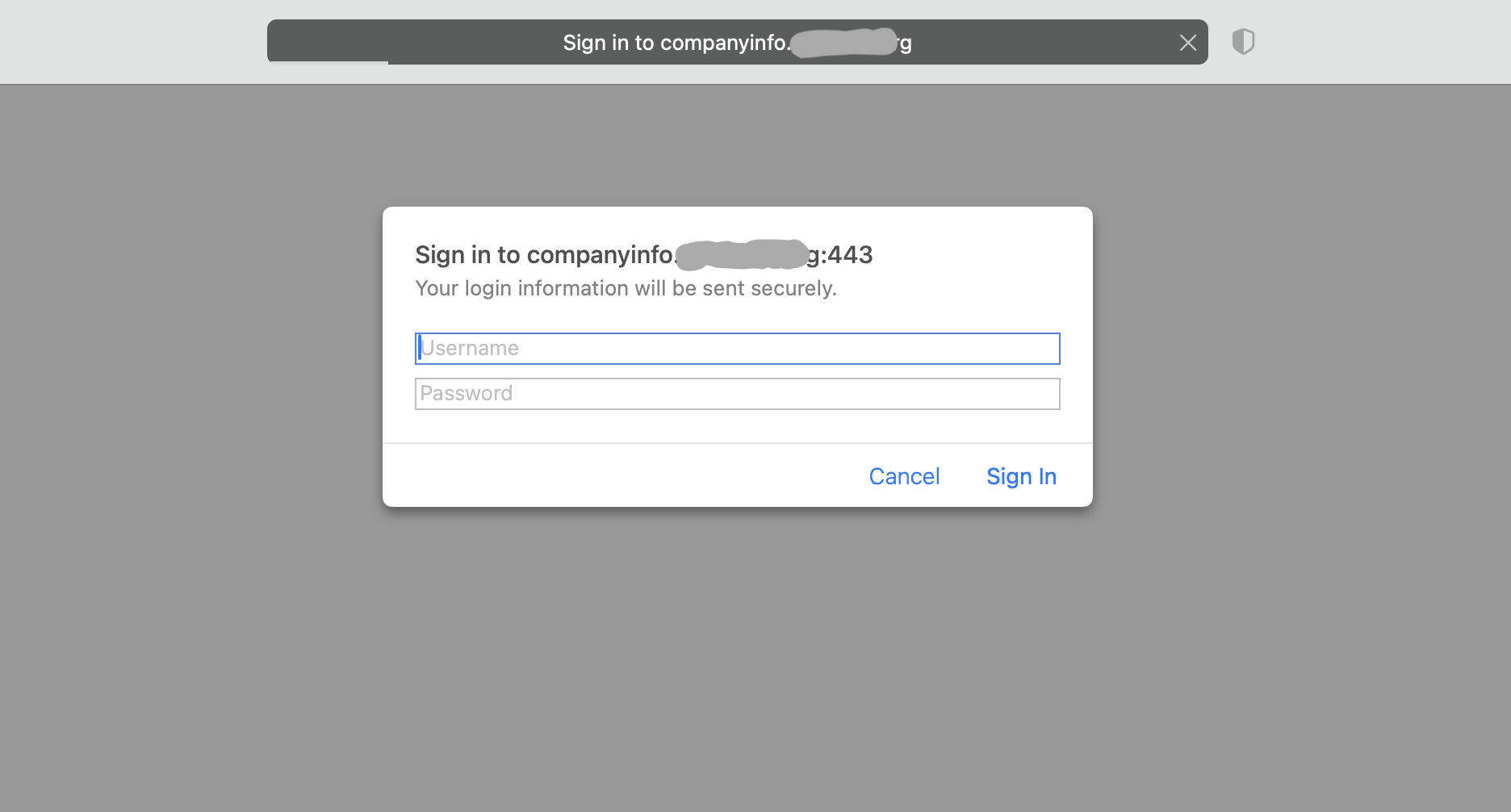
After navigating to https://companyinfo.somesite.org/wp-admin/ a visitor sees this additional authentication screen.
It’s the “wall” in front of the WordPress login page. A hacker must get through it in order to see to the actual WP Login page.
And even if they get through it somehow and start trying combinations of passwords on the WP login page, they will be locked after some number (e.g. 5) of unsuccessful attempts for some time (e.g. days). The logic for limiting login attempts I also implemented without using a plugin with a server tool called “Fail2Ban”. I doubt you want to view all the config, but here’s a part of it:
[our-jail-for-wp-sites]
enabled = true
usedns = no
backend = polling
#In Fail2Ban 1.0+, the backend determines how log files are read. You must use "polling" if you're logpath contains a wildcard
port = http,https
filter = for-wordpress
banaction = nginx-deny-for-our-wp-sites
logpath = /home/*/logs/nginx/*_access.log
#The beauty of this logpath with 2 wildcards is that it'll work even when we change system users for sites
maxretry = 5
findtime = 1500
# 1500 seconds = 25m. P.S. The actual value I'm using is different
bantime = 8d
The result:
Bots and hackers trying to log in to your WP site will not use PHP resources (and therefore RAM and CPU) as much as they would if we set up the protection with plugins.
P.S. From my experience, implementing the 1st part (basic HTTP Authentication on a webserver) is enough, no need to setup the “Fail2Ban” tool.
The 2nd solution — using Cloudflare and a small PHP code
I’ve come up with an idea to protect the default WP login page from brute-force attacks using a small PHP code + Cloudflare.
💡This is not something I found on the web. It was my solution idea that I implemented in July 2020.
Cloudflare rules don’t allow to access the default WP login page. A user must enter our secret URL to see it. This solution eliminates the need for a WordPress plugin for brute-force protection, can be implemented on all WordPress sites that use Cloudflare and doesn’t require modifications to a webserver config.
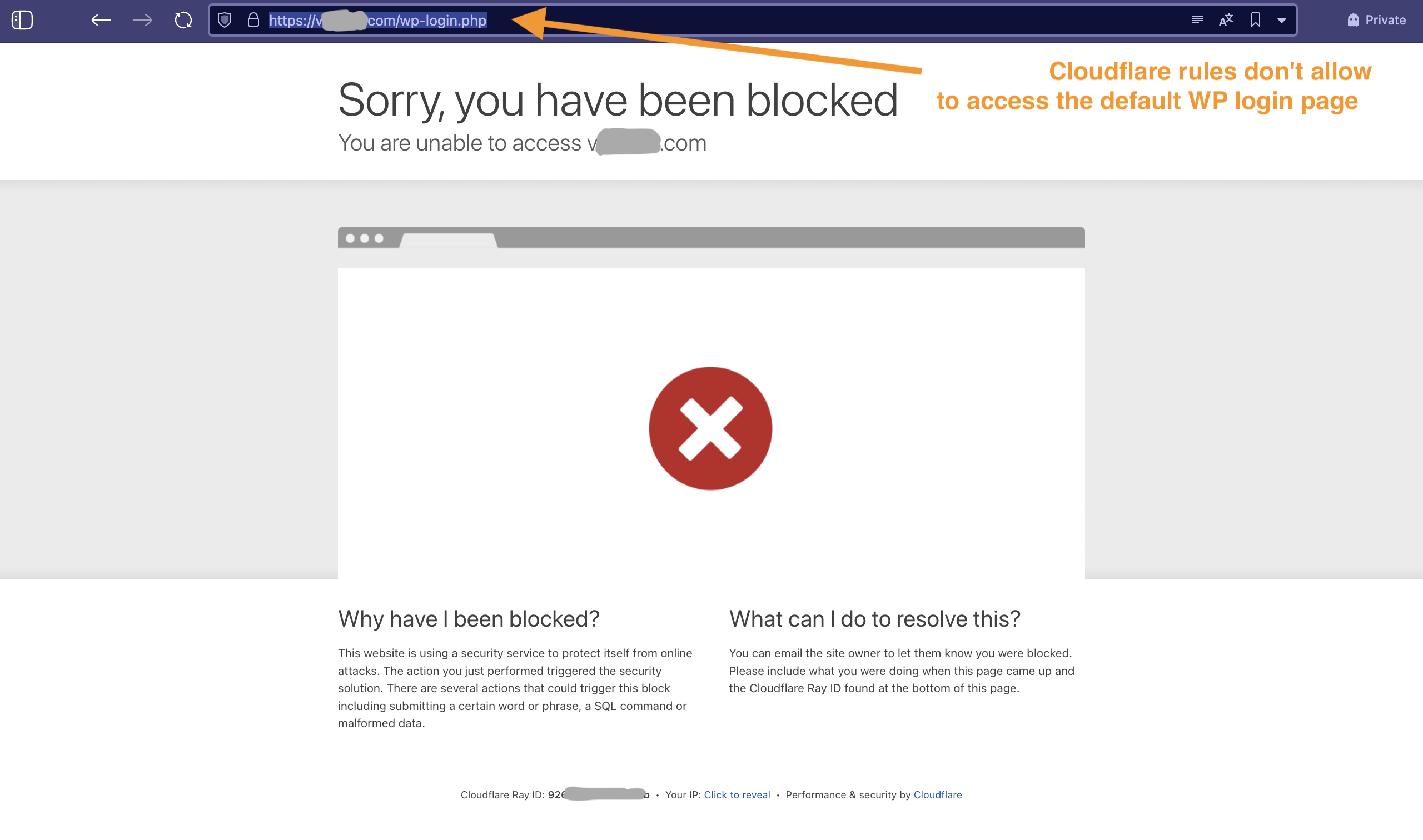
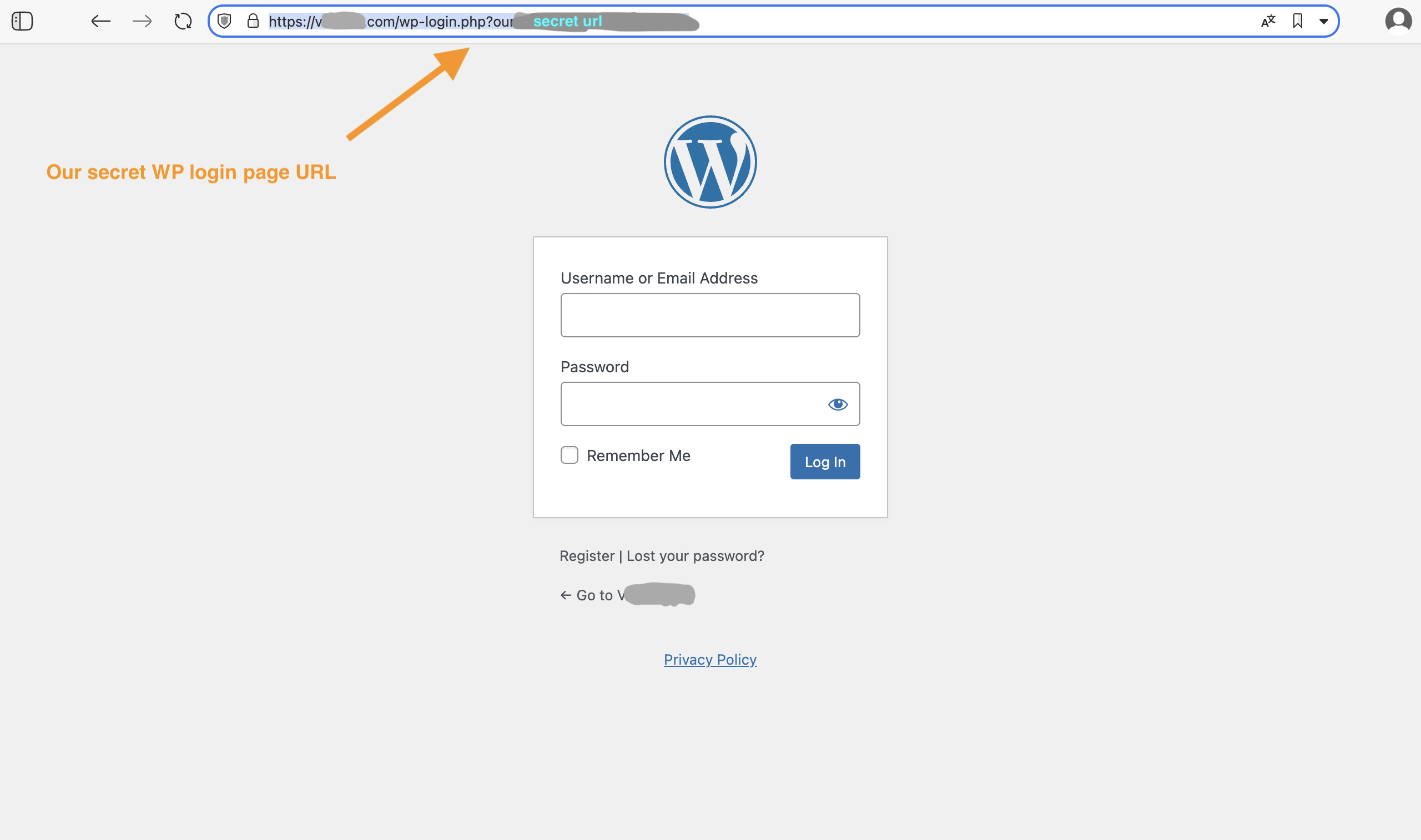
Technically it works like this:
- A small custom PHP code places a cookie when we visit our secret URL for the WP login page.
- On Cloudflare, I configured rules that allow access to the WP login page and WP Admin Dashboard only by those visitors who have our custom cookie. The rules deny access to anyone else.
The result:
A good protection against brute-force attacks and -1 plugin (no need for a limit login attempts plugin) —> a better performance of the website.